
 Falk Sippach
09.12.2021
An introduction to Docs-as-Code and how it helps teams create, maintain, and publish software documentation using familiar development tools and workflows.
Documentation is important
Documentation is often neglected. Developers in particular would rather build cool features than ‘struggle’ with unsuitable tools and constant (context) switching between the development environment and documentation tools such as UML tools, web editors (Word, Visio, …) or wikis.
The question then often arises as to what should be documented at all and how much of it should be documented. Some texts are already out of date when the ‘ink hasn’t even dried properly’. Unfortunately, regular updates are all too often neglected. Or redundant information leads to inconsistencies in the further course of the project when changes are made. The quality and thus the acceptance by the readers decreases. And why should you document at all or keep the documentation up to date later if nobody reads it in the end?
The manual work involved in releasing the documentation is also mindless and error-prone. Missing diagrams and images lead to pure ‘text deserts’. Creating graphics and diagrams is more time-consuming than ‘text only’, necessary updates are laborious and tend to be ignored. The vicious circle closes because the content becomes outdated even faster and nobody wants to read outdated information or, even worse, receives incorrect information.
Software architecture documentation
Documentation is particularly important in the field of software architecture. And especially in agile projects, where the classic role of the software architect is no longer practised, the developers must participate in the creation and be motivated accordingly. Software architecture documentation supports, among other things:
- in the design work (what cannot be written down or drawn may be too complicated)
- communication with the various project participants
- when training new colleagues
- when answering the frequently asked question: ‘Why did you do it this way?’
- and in architecture reviews to have a benchmark as a basis for evaluation
How do you get developers to document (again)?
By making it as easy and pleasant as possible and, above all, by integrating documentation into normal development processes. Developers work a lot with plain text formats (source code), don’t like to leave their development environment (IDE) and are very familiar with it (integration with other developer tools, build management, …) They can handle it very efficiently and often even operate it blindly via the keyboard using shortcuts. The (integrated) command line also gives them the greatest possible flexibility and many automation options. And (distributed) version management systems (e.g. Git) are used for versioning and historisation. Sophisticated build management and continuous integration into CI/CD infrastructures enable the automated and regular building of artefacts/increments. The question is why we do not also create and maintain the documentation according to these guidelines or with the same tools.
Documentation as Code
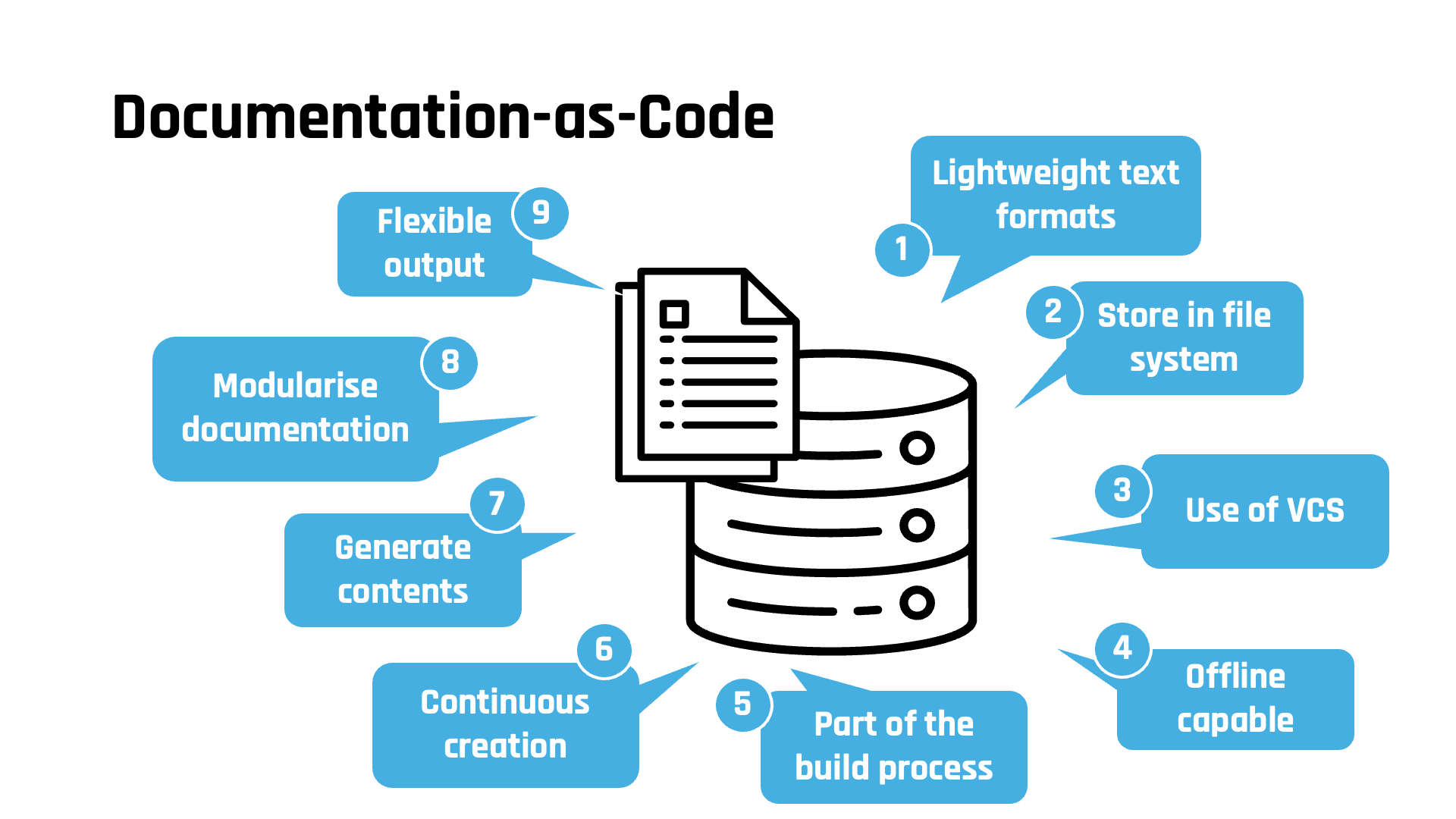
This is precisely the approach taken by Docs-as-Code. The documents are created in lightweight text formats, stored close to the source code in Git repos, for example, and are therefore directly versioned. Different versions can be easily compared and old versions can be restored at any time. When using distributed version control systems (VCS) such as Git, you can work together with colleagues on the documentation using pull requests and review processes, even at times without an internet connection (from the train or a dead zone). Compared to classic wikis (web applications), where you can of course also collaborate very well, this approach is even offline-capable.
By integrating the plain text formats (single source of truth) into the existing build processes, it is very easy to generate differentiated output formats (HTML, PDF, slides, microsites, …) and also different results in terms of content that are optimised for the different reader groups. The documentation can also be enriched with redundancy-free content generated from other models (UML, DB schema, source code, etc.) and always kept up to date.
Continuous documentation
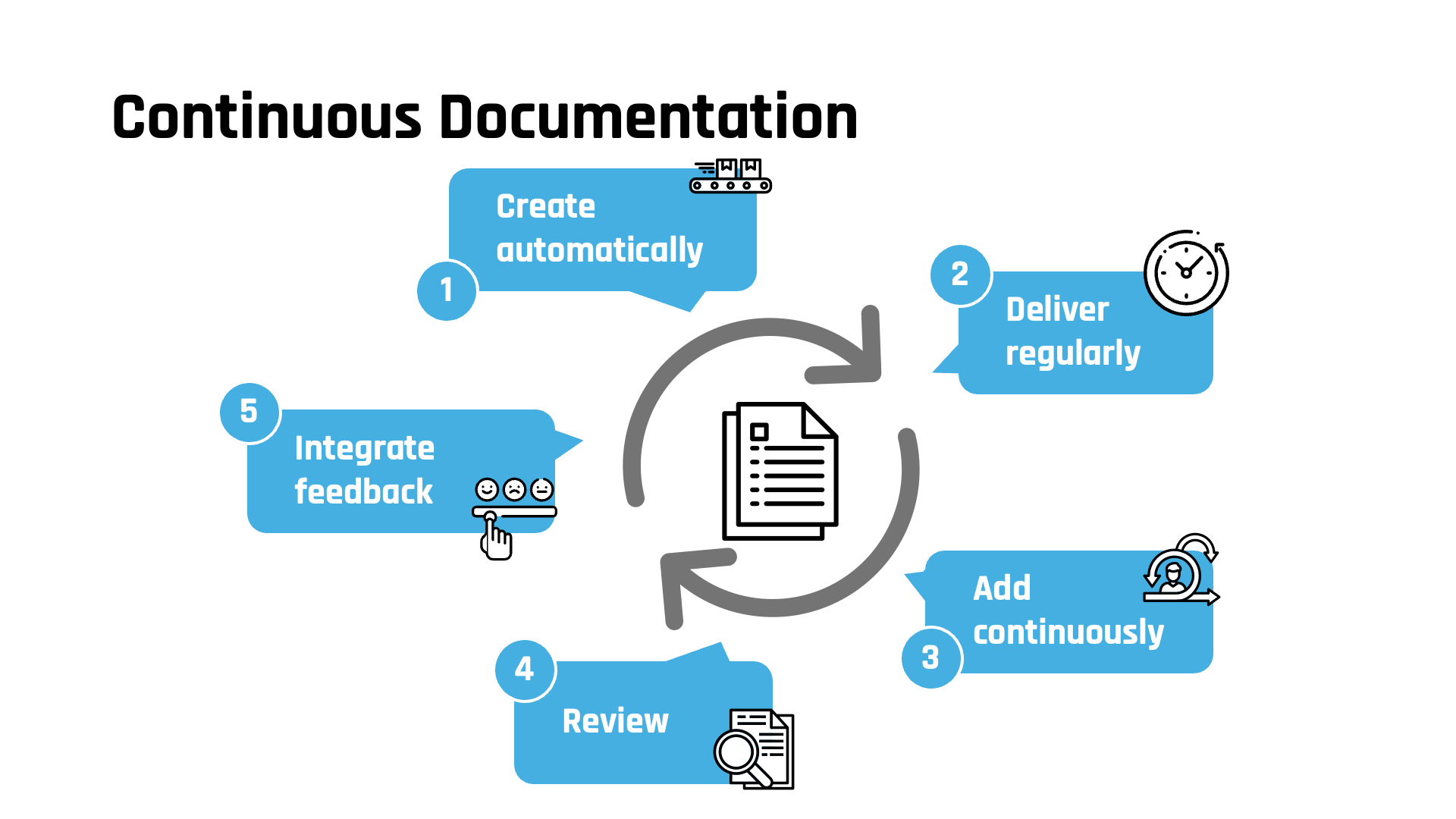
Through consistent automation, a new version can be continuously built and delivered synchronised with the software at all times. This is referred to as continuous documentation. The creation of documentation is thus integrated into the agile, incremental and iterative development processes.
Formats and tools
Markdown and AsciiDoc have established themselves as lightweight text formats and are now also supported out of the box by various providers (Github, Gitlab, Wikis, …) (e.g. automatic rendering in the web view). Thanks to the simple, yet very powerful syntax, documentation can be written down just as easily as an email.
However, AsciiDoc provides many important elements (ToC, tables, imports, …) directly, especially for technical writing, which are only available in Markdown via various extensions or specific dialects.
The text files are simply stored in the file system, can be easily indexed or searched using the operating system’s on-board tools and are ultimately versioned and managed in a code repo (Git, …). They can also be modularised for better maintainability and reusability, then included in other documents and thus freely compiled and even recombined.
A simple text editor is generally sufficient for editing. But since developers work in an integrated development environment (IDE) anyway, they can also manage the documentation there directly. Many modern IDEs can be extended via plug-ins with useful functionality such as preview editors with syntax highlighting and auto-completion, interpreters for rendering Markdown/AsciiDoc as a preview, rendering diagram-as-code formats (PlantUML, …) or embedded graphic editors (Draw.io/Diagrams.net).
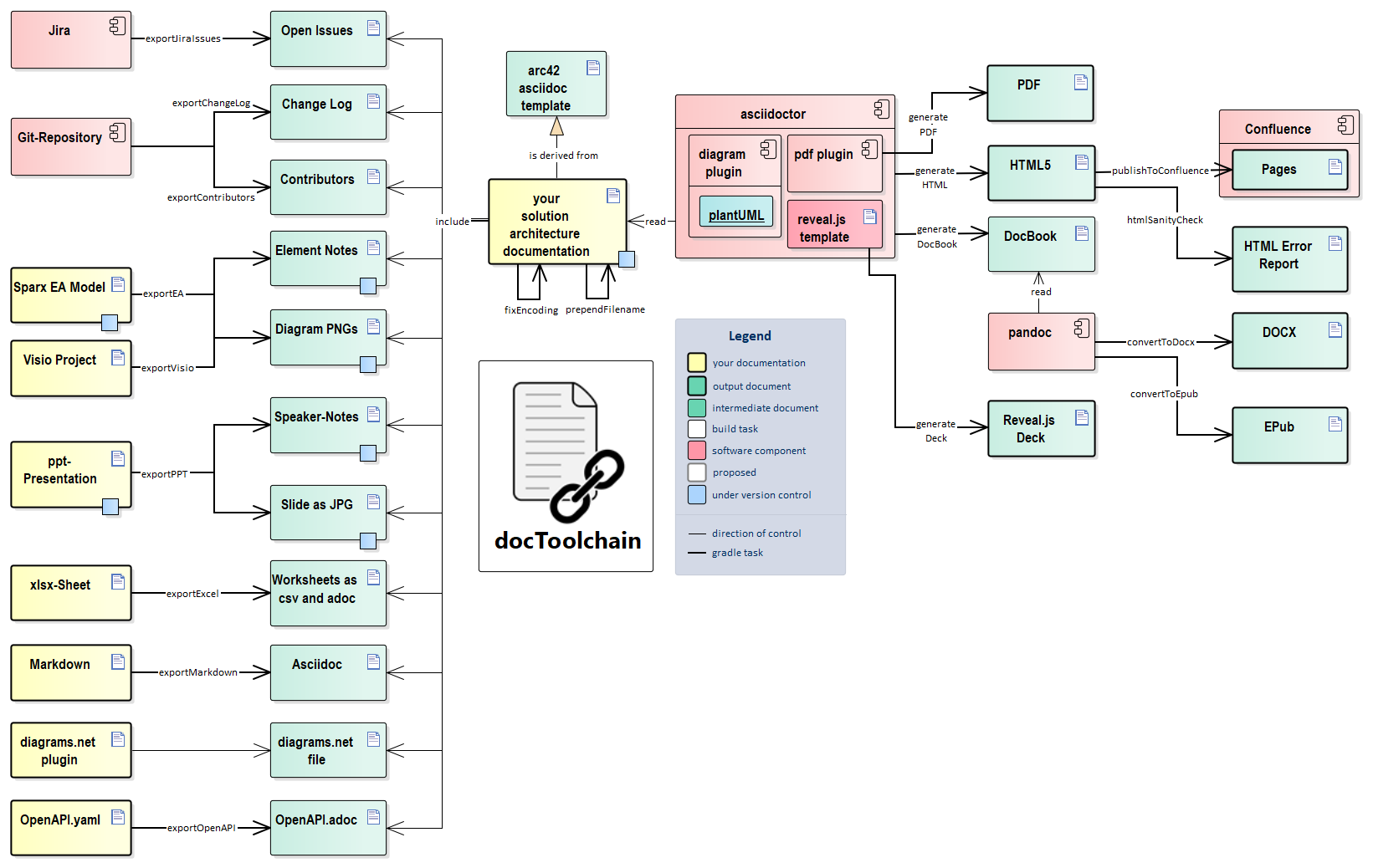
As a processor/interpreter, there are various plug-ins for the different build systems (Maven, Gradle) for the translation of text formats into PDF, HTML etc., which can be integrated and configured quite quickly and easily. Building on this, the open source tool docToolchain provides many other import and export interfaces, for example to embed existing content from PowerPoint, Excel (tables), Enterprise Architect (UML models) etc. into the documentation without redundancy. Or to export the finished documentation to Confluence (read-only access), which is used by many companies, and thus make it available to a wider readership in the familiar environment. You can also organise your documentation structure with arc42, for example, or manage templates and ensure uniform corporate identity formatting.
More interest in this topic? Then take a look at our seminar:
Training on Documentation-as-Code at socreatory